

-
会社情報とロゴをアップロードしましょう
-
必要な木のリンク数を選択します
-
Treeリンクをすべて含むExcelファイルをダウンロードします
-
各々の木にツリーペルソナを追加します
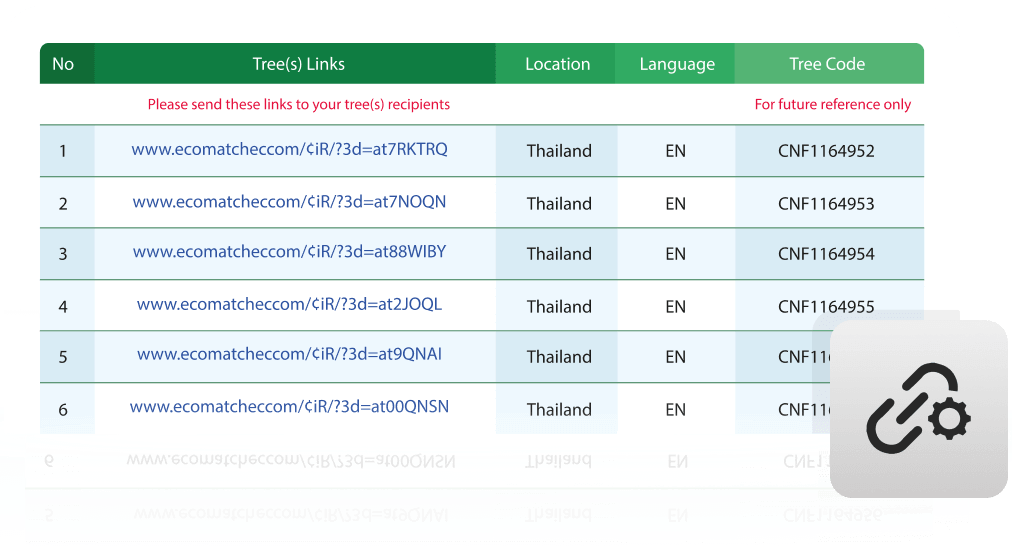
すべての木々のリンクを
ひとつのスプレッドシートにまとめてダウンロードできます
MailchimpやHubSpotなど、お使いのメール配信ツールを利用してお客様や関係者へメールを送信したい場合は、この機能をご利用いただけます。
植樹した木に対応する専用URLの一覧を、Excelファイルとしてダウンロードできます。
ダウンロードしたExcelには、それぞれ新たに植樹した木へリンクする専用URLが記載されています。
URLごとに紐づく木は異なり、すべて固有のリンクとなります。
また、1つのURLに紐づける木の本数は、ご希望に応じて設定することができます。
この動画を見ていただくと、木々のデータを含むスプレッドシートをダウンロードする方法がわかります。
Step by step

1. Enter your company information
In this step you can enter all your brand details, like company logo, website address, and social media accounts that will be linked to the trees and will be visible in TreeTracker.

2. Set number of links and number of trees per link
In this step you enter the number links / URLs you need and the number of trees per link / URL. A link / URL you can embed in your own marketing tools, like MailChimp or Hubspot.

3. Download the spreadsheet
Once you select the download button, an Excel spreadsheet will be automatically downloaded with the links / URLs. As a backup, EcoMatcher also sends an email to your registered email address containing all links.
どのように機能するのでしょうか?
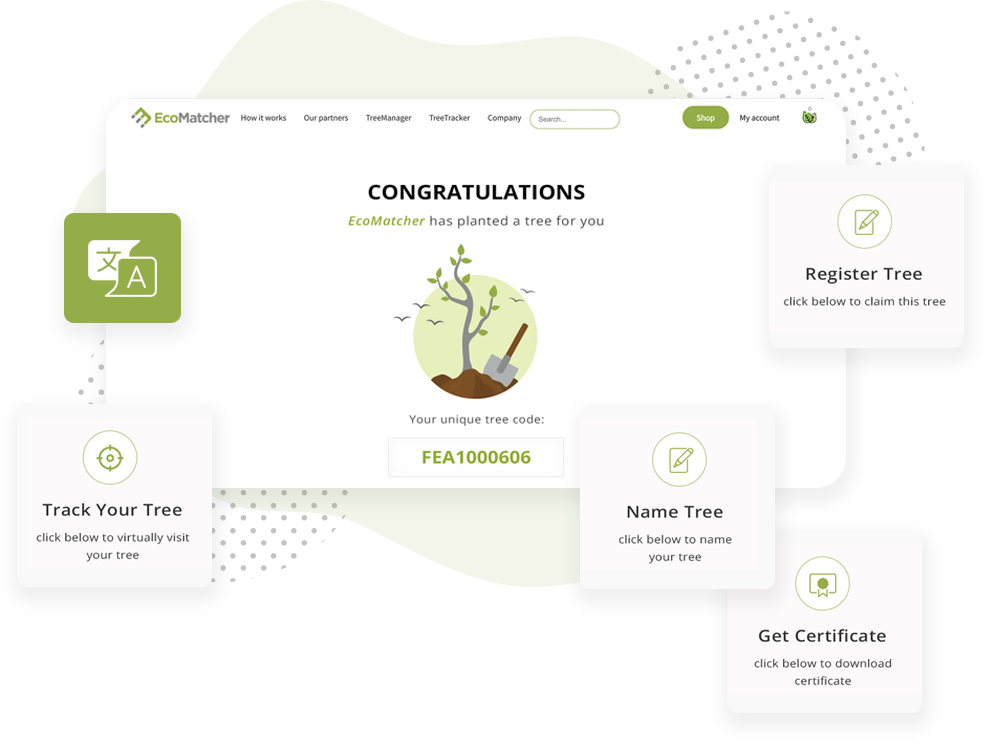
When someone (“tree recipient” or “recipient”) gets gifted a tree by URL link, they can select that URL. They will be directed first to a landing page.
The landing page offers the recipient a number of options:
- Virtually travel to the tree and learn more about the tree and planter;
- Register the tree under the recipient’s account;
- Name the tree;
- Download a tree certificate.
The default language of the landing page is English, but EcoMatcher also offers numerous other languages, including Spanish and Chinese.